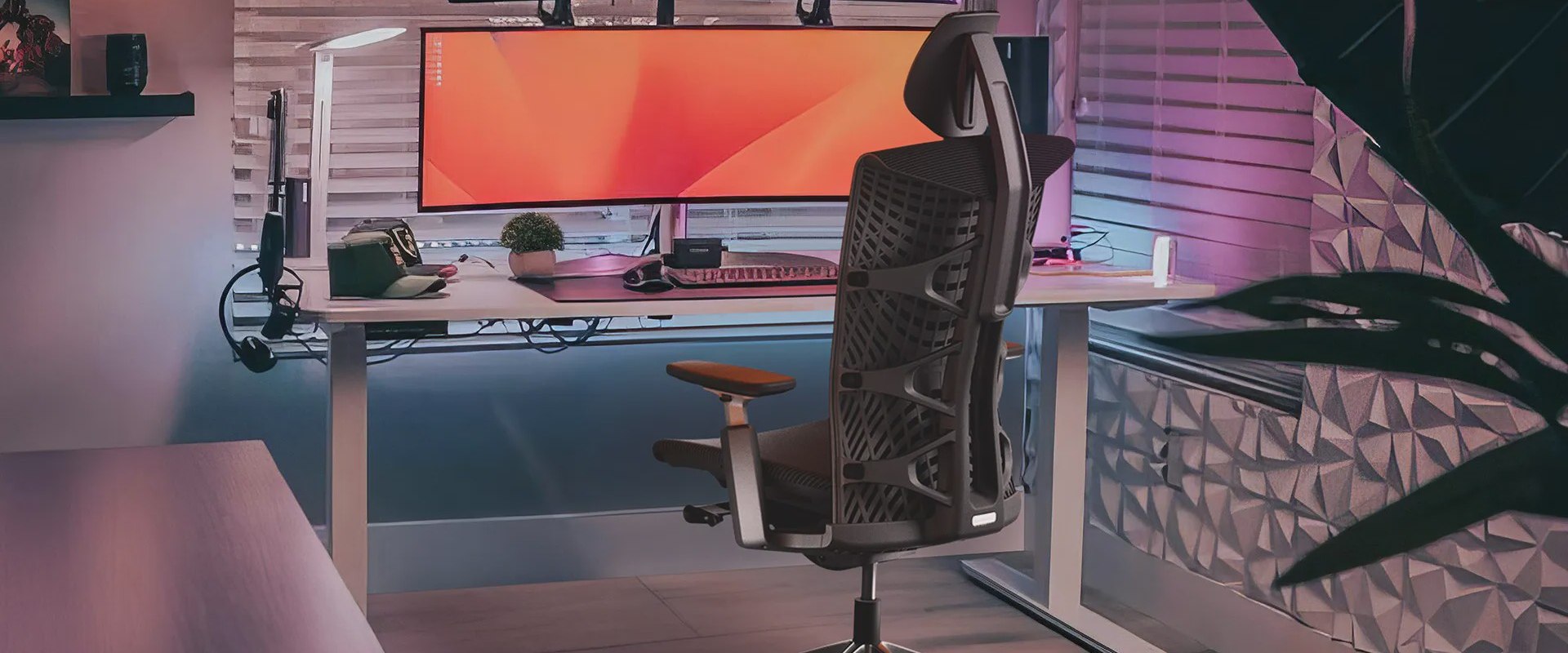
In today's fast-paced work environment, the importance of a well-optimized chair setup cannot be overstated. Many individuals spend countless hours seated at their desks, yet few take the time to ensure that their chair is adjusted properly for ergonomic comfort. A poorly configured chair can lead to discomfort, reduced productivity, and even long-term health issues. This article aims to provide you with comprehensive chair setup guides for ergonomics that will help you create a workspace that not only enhances comfort but also boosts your overall efficiency.
Whether you are working from home or in a corporate office, understanding how to adjust your chair to fit your unique body type is essential. From understanding the various adjustable features of your chair to learning the best practices for maintaining proper posture, we’ll cover everything you need to know. Say goodbye to nagging aches and pains and hello to a more productive and enjoyable work experience. Dive into our detailed guide and discover how simple adjustments can lead to significant improvements in your daily routine!When it comes to achieving optimal comfort and productivity in the workplace, understanding the different types of office chairs is crucial.
There are various types of office chairs available, including task chairs, executive chairs, and gaming chairs, each designed with unique features that cater to specific needs.
Task chairs
are typically lightweight and provide essential adjustments for daily use, making them suitable for a variety of work environments.Executive chairs
, on the other hand, often feature plush upholstery and a more substantial build for those in leadership positions, emphasizing both comfort and aesthetics.Gaming chairs
are tailored for long hours of sitting, offering additional support and style that appeals to gamers, but they also incorporate ergonomic elements similar to those found in traditional office chairs. To create a truly ergonomic seating arrangement, it's important to adjust several key features of your chair.The first adjustment is the seat height. Ideally, when seated, your feet should rest flat on the floor, with your knees at a right angle. This positioning helps prevent strain on your legs and promotes circulation. A common mistake is having the chair too high or too low, which can lead to discomfort over time. The next feature to adjust is the backrest angle.
The backrest should support the natural curve of your spine. A reclined position of about 100 to 110 degrees can reduce pressure on your lower back while providing adequate support. Many users make the mistake of sitting upright against the backrest or reclining too far back, which can lead to poor posture and discomfort.
Armrest position
is another critical adjustment that can significantly impact your comfort level. Armrests should be positioned so that your shoulders are relaxed and your elbows are close to your body at a 90-degree angle.If armrests are too high or too low, they can cause shoulder strain or encourage slouching. It's essential to find that sweet spot where your arms can rest comfortably without tension. Lumbar support is also vital for ergonomic seating. Many modern chairs come with adjustable lumbar support, which allows you to tailor the lower back support to fit your body's unique shape. The lumbar region should be supported to maintain the natural curve of your spine.
Failing to adjust this feature can lead to significant discomfort and even chronic pain if not addressed. In addition to chair adjustments, it's important to consider other factors such as desk height and monitor placement. Your desk should be at a height that allows your elbows to rest comfortably at your sides while typing. Your monitor should be positioned at eye level, about an arm's length away, to prevent neck strain from looking down or up excessively. Proper positioning of these elements works in harmony with your chair adjustments, creating a comprehensive ergonomic setup. While personal preference plays a role in how individuals set up their workstations, it's essential to balance comfort with ergonomic standards.
Some might prefer softer cushioning or a particular chair style that doesn't fully adhere to ergonomic guidelines. However, it's important to recognize that ergonomic principles are based on research aimed at reducing pain and enhancing productivity. Finding a chair that meets both personal preferences and ergonomic standards is key for long-term health and comfort. By following these guidelines for adjusting your chair and considering other factors in your workspace setup, you can optimize your chair setup for maximum comfort and productivity. Remember that everyone's body is different, and it may take some time and experimentation to find the perfect adjustments for you.
Adjusting Seat Height for Optimal Comfort
Adjusting the seat height of your chair is a crucial step in achieving an ergonomic setup.The right seat height ensures that your feet are flat on the floor, which helps to distribute your weight evenly and maintain proper posture. An incorrectly set seat height can lead to discomfort, strain, and even long-term health issues. To find the optimal seat height, start by sitting in your chair with your back against the backrest. Your feet should be flat on the ground, and your knees should be at a 90-degree angle or slightly lower than your hips. If your knees are higher than your hips, the seat is too high; if your feet dangle, it is too low.
Adjust the height accordingly until you achieve this ideal position. Remember that individual needs may vary based on personal comfort and body dimensions. Consider using a footrest if you find that your chair cannot be adjusted to the perfect height for your needs.
Utilizing Lumbar Support Effectively
Proper lumbar support is essential for maintaining a healthy posture while seated.Lumbar support
refers to the cushioning or support provided to the lower back, which helps maintain the natural curve of the spine. To position lumbar support effectively, begin by adjusting the height of the lumbar support to align with the lower back curve.It should rest just above the waistline, filling the gap between the chair and your back. Next, ensure that the amount of support is appropriate. If the support is too firm or protrudes excessively, it can cause discomfort. Conversely, insufficient support may lead to slouching. Finding the right balance is crucial for preventing strain on your back. Additionally, when seated, your feet should be flat on the floor, and your knees should be at or slightly below hip level.
This position helps distribute your body weight evenly and reduces pressure on the lumbar region. Remember to sit back in your chair so that your lower back is properly supported by the lumbar support.Lastly, it is important to periodically adjust your chair and lumbar support throughout the day as your body may shift positions or become fatigued. Regular adjustments can help maintain comfort and promote productivity.
Complementary Adjustments: Desk Height and Monitor Placement
To achieve a truly ergonomic workspace, it is essential to consider not just the chair setup, but also the desk height and monitor placement. These elements work in conjunction with your chair adjustments to create a harmonious and efficient working environment. The desk height should ideally allow your elbows to remain at a 90-degree angle or slightly obtuse when your hands are resting on the keyboard.This alignment helps prevent strain on the shoulders and wrists, which can lead to discomfort over time. If your desk is too high, you may find yourself reaching upwards, leading to tension in the neck and shoulders. Conversely, a desk that is too low can cause you to hunch over, negatively impacting your posture. Similarly, the placement of your monitor is crucial for maintaining proper alignment and reducing eye strain. The top of the monitor screen should be at or slightly below eye level, allowing you to look straight ahead rather than tilting your head up or down.
Ideally, the monitor should be about an arm's length away from your eyes. This distance helps reduce glare and keeps your neck in a neutral position. By carefully adjusting your desk height and monitor placement, you create a complete ergonomic setup that supports your body’s natural posture and promotes comfort throughout your workday. Remember that these adjustments are just as important as your chair setup, and together they form the foundation of an efficient and health-conscious workspace.
Finding the Right Armrest Position
Adjusting your armrests is a crucial aspect of setting up your chair for optimal ergonomics. Proper arm support can significantly reduce the risk of shoulder strain and contribute to overall comfort while working.Begin by sitting comfortably in your chair, ensuring your feet are flat on the ground and your back is supported by the chair's backrest. To find the right position for your armrests, start by adjusting them so that your arms are relaxed at your sides. Your elbows should form an angle close to 90 degrees when resting on the armrests. If the armrests are too high, it can cause your shoulders to hunch up, leading to tension and discomfort. Conversely, if they are too low, your arms may dangle uncomfortably, resulting in strain. Once you have positioned the armrests correctly, make sure they support your arms without forcing them into an awkward position.
Ideally, they should allow for a slight outward curve of your arms, keeping your wrists straight while typing or using a mouse. This setup not only promotes better posture but also enhances productivity by reducing distractions caused by discomfort. In addition to height adjustments, consider the width and depth of the armrests. They should be wide enough to support your arms comfortably without restricting movement. If your chair allows for it, adjust the depth of the armrests to ensure they don’t interfere with your ability to sit close to your desk. By taking the time to adjust your armrests properly, you can create a more comfortable and supportive workspace that minimizes the risk of shoulder strain and enhances your overall work experience.
Understanding Different Types of Office Chairs
When it comes to ergonomic chair setup, it's essential to understand the different types of office chairs available, as each type offers unique features that cater to various needs.Choosing the right chair can significantly impact your comfort and productivity.
Task Chairs
are versatile and often come with adjustable features such as seat height and backrest tilt. They are designed for short-term use and are perfect for tasks that require frequent movement, making them ideal for dynamic work environments.Executive Chairs
are typically larger and more cushioned, offering a more luxurious seating experience. They often come with additional features like lumbar support and plush armrests, making them suitable for long hours of sitting in front of a desk.Ergonomic Chairs
are specifically designed to promote good posture and reduce discomfort. These chairs often feature adjustable lumbar support, seat depth, and armrest height, allowing users to customize their seating position for optimal comfort.Stool Chairs
or Drafting Chairs are higher than standard office chairs and often lack a backrest.They are commonly used in environments where standing is prevalent but require occasional sitting, such as at drafting tables or in laboratories.
Gaming Chairs
, while primarily designed for gamers, have gained popularity in office settings due to their ergonomic designs and adjustable features. They typically provide excellent lumbar support and comfort for extended periods of use. Understanding the different types of office chairs can help you make an informed decision when setting up your workspace. Each chair type has its own strengths, so consider your work habits and preferences when choosing the right one for you.Setting Up Backrest Angle for Support
Adjusting the backrest angle of your chair is crucial for providing optimal support to your spine's natural curve. A well-positioned backrest not only enhances comfort but also plays a significant role in maintaining good posture while working for extended periods. To begin, sit comfortably in your chair and lean back slightly.The backrest should be positioned so that it supports the lower part of your back, particularly the lumbar region. This support helps to maintain the natural curve of your spine, which can prevent discomfort and strain during long hours of sitting. The ideal angle for the backrest is typically between 90 and 100 degrees. This angle allows for effective support while enabling you to keep your feet flat on the ground and your knees at a right angle. If your chair has a reclining feature, adjust it so that it provides adequate support without causing you to slouch. To make adjustments, locate the lever or knob usually found on the side of the chair.
Test different angles by leaning back and ensuring that the backrest comfortably supports your lower back. Remember, the goal is to create a supportive environment that promotes a healthy posture. Once you find a comfortable angle, take a moment to evaluate how it feels during regular work activities. If you notice any discomfort or strain, don’t hesitate to readjust until you achieve the right balance between support and comfort. In conclusion, adjusting the backrest angle of your chair is an essential step in creating an ergonomic workspace. By taking the time to properly set up your chair, you can enhance your overall productivity while minimizing the risk of discomfort and injury. In conclusion, we have explored the essential aspects of chair adjustments that contribute to a more ergonomic workspace.
From understanding the different types of office chairs to making precise adjustments in seat height, backrest angle, and armrest positioning, each element plays a critical role in enhancing your comfort and productivity. Additionally, we discussed the importance of utilizing lumbar support effectively and ensuring complementary adjustments with your desk height and monitor placement. It is crucial to take your time in finding the right setup that suits your individual needs. Remember, what works for one person may not work for another, so personalizing your chair setup is key to achieving maximum comfort. We also encourage you to periodically reassess your configuration, as your requirements may evolve over time due to changes in work habits or physical condition.